
Choose a preset
Pick Original, Pet, Baby, Duo, Halloween, Two Pets, Family, Pet Halloween, or Cat.
Make a Bad Times AI video from one or two photos. Choose the original, pet, baby, duo, Halloween, two pets, family, pet Halloween, or cat version, then set the length and quality.
Previewing and uploading do not create a generation task. Review the credit estimate before submitting.
The fixed video guides movement and scene timing while the attached audio acts as rhythm guidance. The model creates a new vertical scene from your upload; it does not copy the source footage or guarantee an exact song recording, lip-sync, or camera match. Each preset keeps its own reference and subject instructions.
Use a clear, well-lit image. For Baby and Family, a parent or legal guardian must approve any child photo and the output stays age-appropriate.
Your output is private by default and appears in Your videos.
One fixed motion clip and rhythm reference per preset. Your new video is private by default.
The original face-to-camera argument routine.
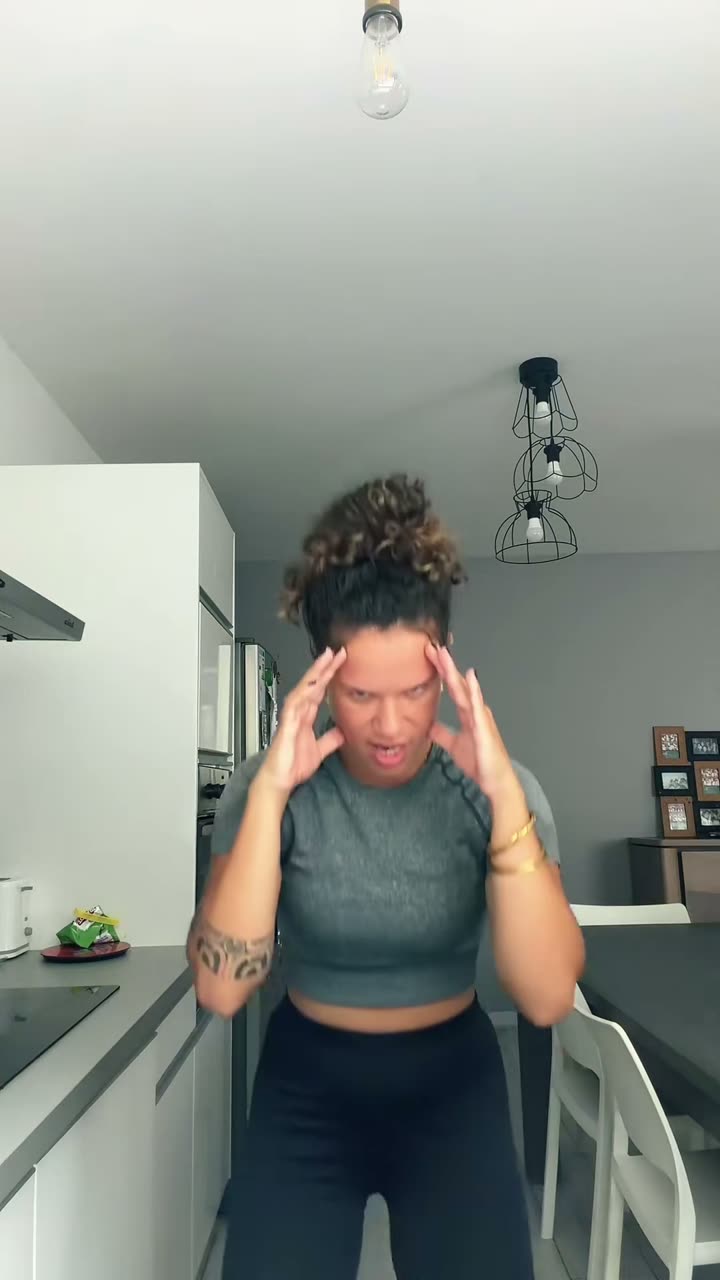
30s motion referenceMotion and timing guide the scene. Rhythm audio is attached automatically; the generated soundtrack may differ.
Private vertical MP4 · 15s · 480p · estimated 1,109 credits. Uploading and previewing do not create a paid task.
This estimate includes 30s of reference video plus your output length. The final charge is checked on the server before the task starts.
Pick Original, Pet, Baby, Duo, Halloween, Two Pets, Family, Pet Halloween, or Cat.
Use one clear photo for a solo version, or the number of people or pets shown by the paired preset. The upload stays attached to your account.
Select the duration and quality. The estimate includes the reference-video time and is checked again by the server before task creation.
When the model finishes, play the new MP4 here, download it, or find it in Your videos.
It uses a fixed Bad Times motion reference and one of nine presets to guide a new vertical video from your photo or photos. The result is an AI interpretation, so faces, timing, framing, actions, and sound can vary.
Choose Original, Pet, Baby, Duo, Halloween, Two Pets, Family, Pet Halloween, or Cat. Each preset has its own fixed motion reference and photo requirements.
Most presets use one photo. Duo and Family accept one or two; Two Pets requires two pet photos. Use clear photos with one visible subject in each image.
Only use the Baby or Family preset for a child, and only if you are the child’s parent or legal guardian. Confirm that you have guardian permission before submitting. The prompt keeps the scene age-appropriate and non-distressing.
Choose 10, 15, 20, or 30 seconds and 480p or 720p. The output is framed vertically at 9:16. Your credit estimate includes the length of the reference video as well as the requested output.
The source video guides motion and the reference audio guides rhythm. The model creates a new interpretation; it may change the timing, lip movement, scene details, and generated audio, and it does not promise an exact song recording.
No. Uploading and previewing do not submit a video task. Before you submit, the page shows an estimate; credits are charged only when the generation task is created.