
One to three photos
Add a clear, well-lit photo for each consenting adult or pet you want the model to include.
Turn one to three photos into a lively group-selfie dance video. Let the camera pass between your people or pets, then bring them together for one final frame.
An original AI interpretation, not the original music video or its exact choreography. Check the 100-credit estimate before you submit.
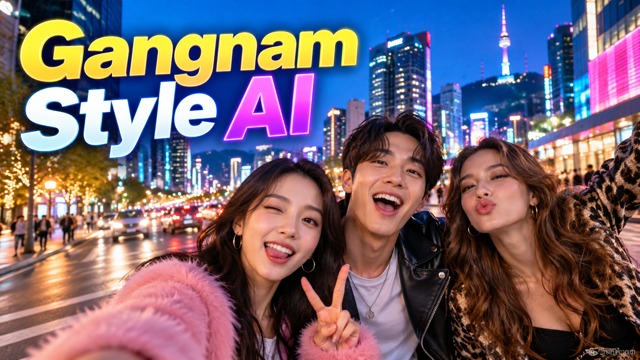 Concept image · not a video preview
This Gangnam Style AI variation turns the group selfie into the scene: each person or pet gets a moment as the camera swings around, then everyone joins the final shot. The model creates new movement from your photo references and a written scene prompt. It does not copy the original performance, song, or music video, so faces, dance steps, and timing can change.
Add a clear, well-lit photo for each consenting adult or pet you want the model to include.
Request original instrumental audio, or keep your clip silent. The source song and recording are not attached.
Choose portrait or landscape, check the 100-credit estimate, and submit one private video task.
Choose people or pets, add up to three photos, then review the fixed video settings and credit estimate before you create.
Add one photo per performer or pet. The generator creates one new scene and keeps your video private.
Optional audio is newly generated. The original song, lyrics, and recording are not attached, and the concept image above is not sent to the model.
One private video · 15s · 720p · 9:16 · 100 credits. No credits are used until you submit.
Select people or pets and upload one to three clear photos. For multiple subjects, use one photo per person or animal.
Choose portrait 9:16 or landscape 16:9. Optionally request new instrumental audio; the output stays 15 seconds at 720p.
Confirm you have photo permission, review the 100-credit estimate, and submit one private task. Preview and download the MP4 when it is ready.
It is an original AI interpretation of a playful group-selfie dance: the camera moves between the people or pets in your photos and ends with everyone together. It is not the original music video or an exact recreation of its choreography.
Upload one to three photos. For the clearest result, use one well-lit photo per person or pet and make sure each face or animal is visible.
Yes. Choose Pets and upload one to three pet photos. The prompt asks the model to keep each animal recognizable, though generated appearance and movement can vary.
The generator makes one private 15-second video at 720p. Choose portrait 9:16 or landscape 16:9, and optionally request new AI-generated audio.
No. The generator does not attach the original recording or request its lyrics, recognizable melody, or exact choreography. Optional audio is requested as new instrumental audio, and movement can vary.
The fixed 15-second, 720p video task is estimated at 100 credits. The page checks your balance before submission and shows that estimate beside the button. Uploading photos or viewing the concept image does not create a video task.
No. It is an illustrative image from the authorized source page. It is not a video sample, is not uploaded as a generation reference, and does not guarantee a particular result.