
 this is fine
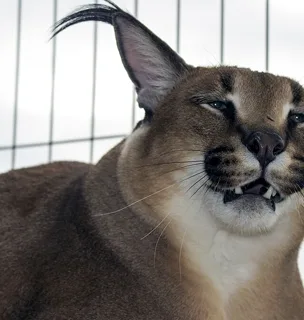 floppa
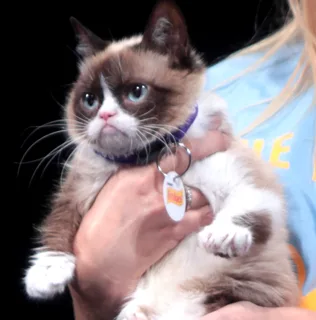 no.
 spiky boi
 Make yoursPhoto · 5 credits
Ghostface
You on the kitchen phone, eyes wide. In the doorway behind you, the white mask.
New for Día de Muertos: hug a loved one in heaven.
Make yoursHalloween 2026
Explore four AI Halloween photo concepts: a 90s phone-call scene, a pumpkin-head portrait, a sheet-ghost photoshoot, and a witch costume. The page also links to a dinner-party video concept. Each creator starts a new AI generation; review its available inputs, output settings, and credit estimate before submitting.
Image resolution, aspect ratio, processing time, and export options depend on the selected model and account settings. The examples are public source references, not results generated by Meme Video Maker.
Make yoursPhoto · 5 creditsYou on the kitchen phone, eyes wide. In the doorway behind you, the white mask.
 Make yoursPhoto · 5 credits
Your coat, your hair, your boots. And a carved pumpkin where your head should be.
 Make yoursPhoto · 5 credits
A white bedsheet, two eye holes, black sunglasses on top. Your jeans and sneakers underneath.
 Make yoursPhoto · 5 credits
The pointed hat, the velvet cape, the lantern. Your face under it.
Want an AI video rather than a photo? Open the Burning Bridges guide to review the dinner-party reference and continue to its creator. Check the available photo inputs, themes, model, output settings, and credit estimate there. A generated clip is a new result and may not reproduce the source video or its audio.
Pick by the photo you have. Two of the AI Halloween templates hide your face, so they need a photo where your clothes show; the other two keep your face, so a sharp selfie is enough.
| Template | Upload | Details to review | Trend began |
|---|---|---|---|
| Ghostface AI trend | A clear selfie | Facial likeness and props | September 2025 |
| AI pumpkin head photoshoot | A full-body photo | Outfit details and crop | Fall 2020 |
| AI ghost photoshoot | A full-body photo | Clothing visibility and shoes | September 2020 |
| AI Halloween costume | A photo from the chest up | Facial likeness and costume details | October 2026 |
| Halloween AI video (Burning Bridges) | A clear selfie | Facial likeness and table props | October 2026 |
Open one of the AI Halloween templates above. Pages explain the template inputs; example media is shown as a reference, not as an account-generated result.
Upload only a photo you have permission to use. Review the site Privacy Policy for how uploaded content is handled.
When the result is ready, review the image and its details before downloading or sharing. Label AI-generated content where the platform or your audience expects disclosure.
These concepts use familiar seasonal props—a corded phone, a pumpkin, a sheet, or a witch costume—which makes the scene easy to describe before generating. The Ghostface photo trend began in September 2025, according to Know Your Meme. In its 2026 survey, the National Retail Federation reported that 47% of consumers used AI tools to support Halloween shopping, including brainstorming and product research; this is not a measure of AI image generation. A reference photo can guide a new seasonal image, but model output varies.
Each trend guide links to its public source and explains the scene as a reference. The creator shows current availability and settings; reference media is not a generated result from your account.
Choose Ghostface for a corded-phone horror scene, pumpkin head for a fall portrait, sheet ghost for a playful costume concept, or witch for a seasonal look. NRF reported that the witch was the most popular adult costume in its 2026 survey; that survey describes costume plans, not AI-photo trend popularity.
Each completed AI photo costs 5 credits. See Pricing for current plans and credit packs.
Open the Burning Bridges creator to see its current inputs and options. Video settings and credit use depend on the selected model, and the generated result may differ from the public reference.
Only upload a photo you have permission to use, and follow the site Terms and Privacy Policy.
No app is required. Compare subscription plans and one-time credit packs on the Pricing page before you create a video.
For a storybook-inspired Halloween look, browse the Tiptoeing in My Jordans origin and AI video guide. It includes a sourced timeline, costume notes, and a private photo-to-video maker.